
Bricklayer Editor
Bricklayer Editor: the fastest way from an idea to a Roblox game
Making a Roblox game with AI should take one download. Not a terminal, not a Git tutorial, not an afternoon wiring up Rojo before you write a single line. That's the whole idea behind Bricklayer Editor, and it's what it delivers.
You download it, you double-click it, and you're building. No coding needed.
It knows what you're actually working on
Most code editors show you a folder tree. Bricklayer shows you your game.
The left rail is your DataModel, with your Workspace, ReplicatedStorage, ServerScriptService. All with Studio's own class icons on every node. Click a script and it opens as a normal file with full Luau support. Click a Part and Properties tells you everything about it. Right-click and you can point the Studio camera straight at it, drop it to the ground, or select it in Studio and watch the highlight appear over there in real time.
Checkpoints let you name a moment and come back to it, so you can try the ambitious idea without worrying about what it breaks. Works like git but not as technical. The Game panel pipes your playtest output right into the editor, so debugging doesn't mean flipping between windows hunting for your own error message. And the status bar keeps you oriented at a glance: which place is connected, how many scripts are mirrored, whether sync is live.
It's the vocabulary of game development, in an editor that's fast because it's built on the best code editing surface there is.
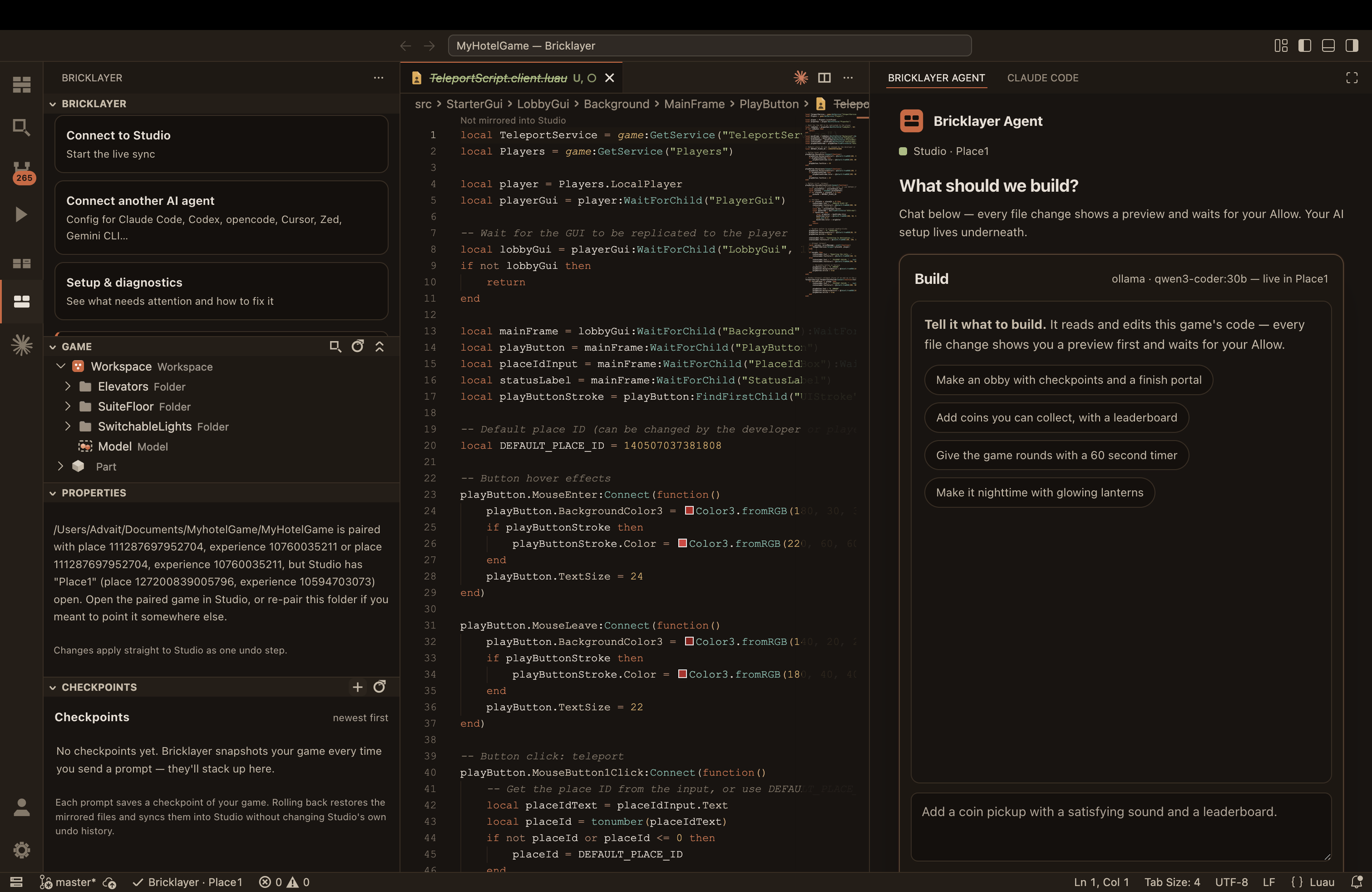
Inside the editor, with the game properties panel on the left, and agent chat on the right
Bring the AI you already pay for
Bricklayer doesn't lock you into one model. Claude Code, Codex, and Gemini Code Assist install with one click and sign in with your own account. Your subscription, your models, no middleman.
Bricklayer also supports ACP, so any model that supports ACP can be used in the in studio chat window, and the in editor chat window.
Don't have a subscription? Bricklayer ships its own agent. Paste any API key and pick a model, including free ones. You can build a real game without paying anyone anything.
Either way, the agent gets what AI coding tools have always needed and never had on Roblox: real files. Actual .luau on actual disk, which means real search, real diffs, real Git, and every tool your agent is already good at. That's why the code it writes is better here.
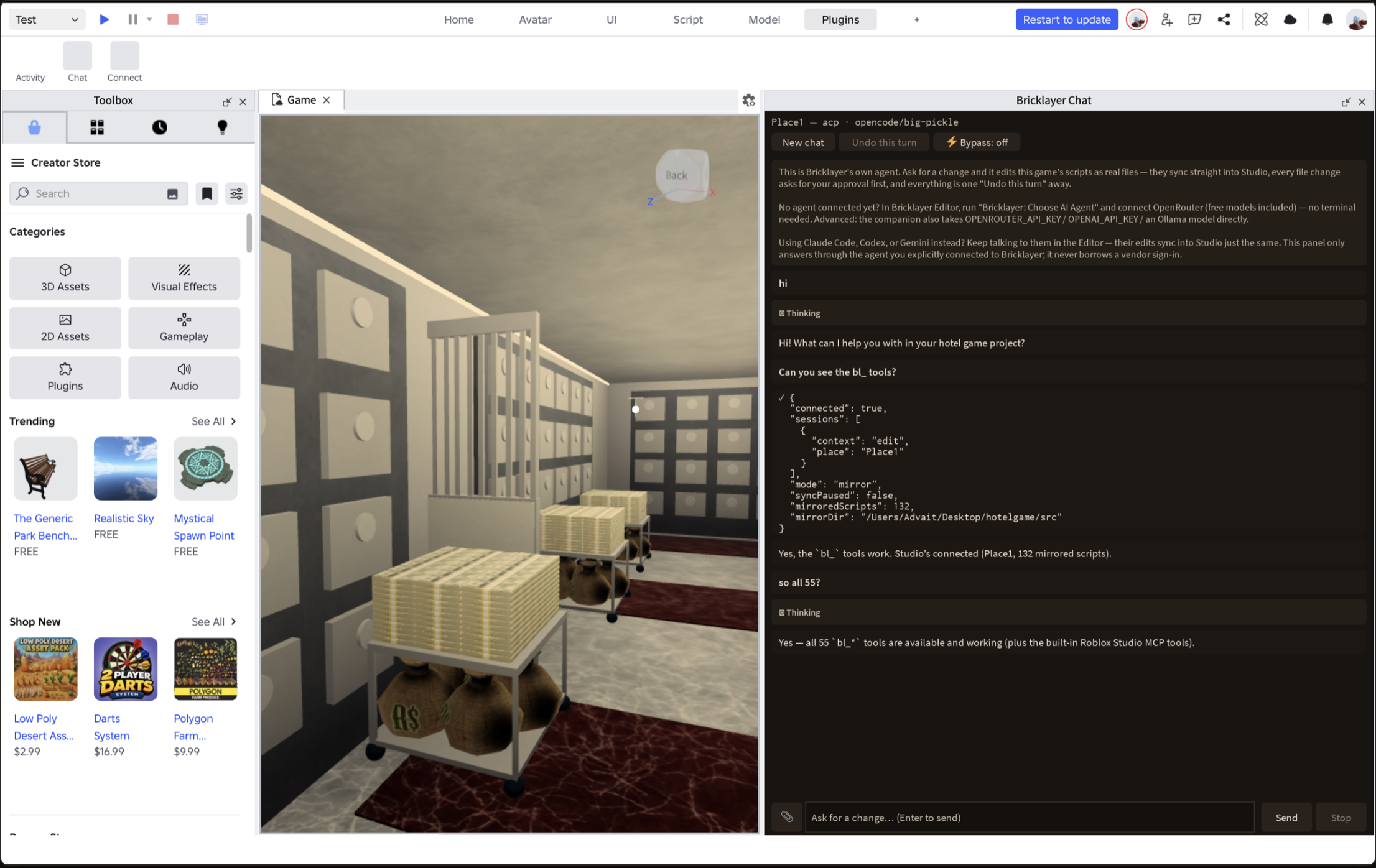
In studio chat window, powered by ACP
Two-way sync that just works
Your scripts live in Studio and on disk at the same time, and both stay current. Edit in Studio, the file updates. Let the agent edit the file, Studio picks it up. Press Play and test it.
Every change the agent proposes shows you a before-and-after diff and waits for your approval. Every edit Bricklayer makes inside Studio is a single Ctrl+Z. You're always in control, and you can always back out.
Open a game you already published by pasting its link — Bricklayer opens the real place and mirrors it down. No downloading .rbxl files, no hunting through folders, no handing over Roblox credentials.
Your project stays yours
Under the hood it's an ordinary folder of ordinary Luau files. Nothing proprietary, nothing locked in.
That matters more than it sounds. It means the moment you outgrow describing your game in English and want to start coding, you just start typing. Same files, same project, no migration. Beginners get a front door. Developers get a real, advanced workspace. Same product.
It runs entirely on your machine. None of your information gets compromised
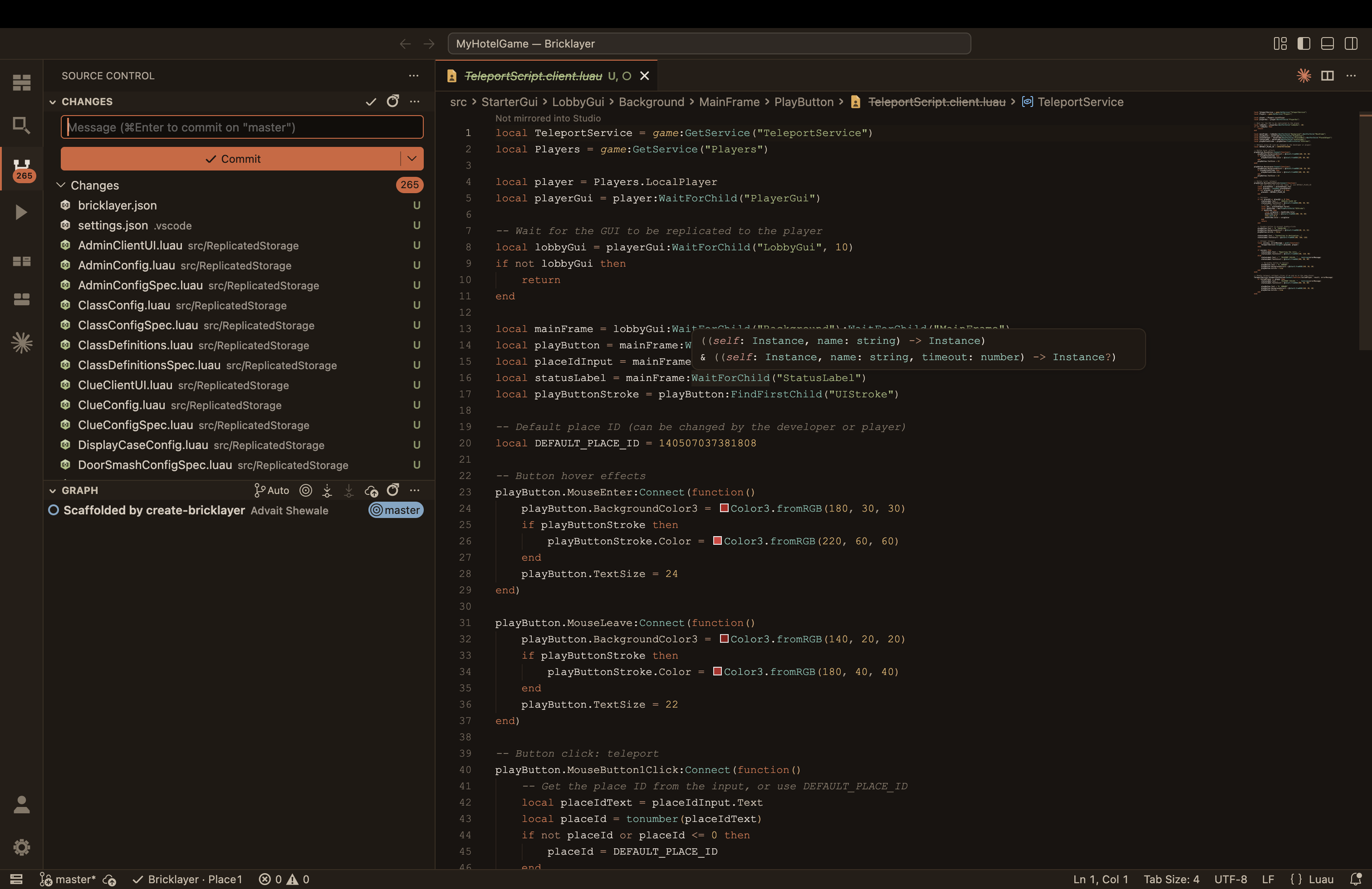
Source control inside the editor
Get it
Bricklayer Editor is free, open source, and available for macOS and Windows. Download it, describe your game, press Play.
Sign up for early beta testing versions through contacting us.
Download Bricklayer → bricklayer-web.vercel.app
